

Stay up-to-date on all things Yodify!

FEATURES
Colors, buttons, and fonts—oh my!
The ability to make quick, site-wide changes to the appearance of your store is a powerful tool. Change your header/footer and color palette, adjust button sizes, and set fonts all from your Admin Portal.
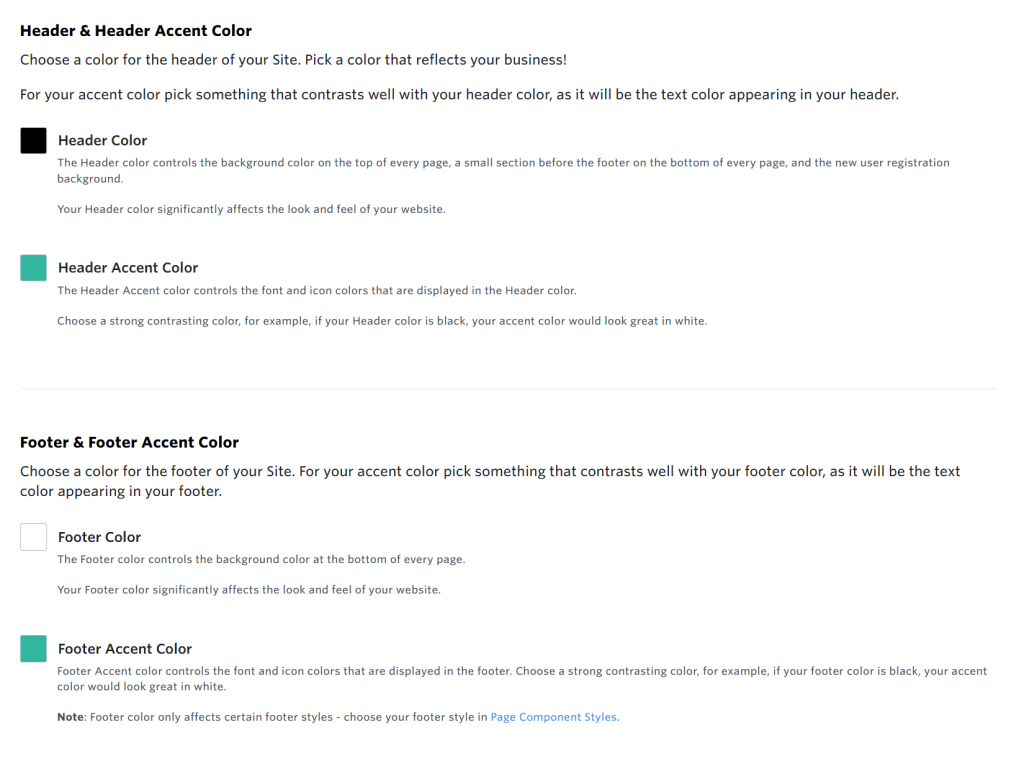
Header/Footer & Accent Color
Your header and footer are visible on every page, acting as the “frame” of your entire site. Consistent colors, typography, and layouts help visitors instantly recognize your brand across product pages, landing pages, and marketing content.
A well-designed header helps visitors quickly find what they’re looking for—categories, search, support, or account info. And a clear, consistent footer reinforces important links and reduces frustration.


Color Palette
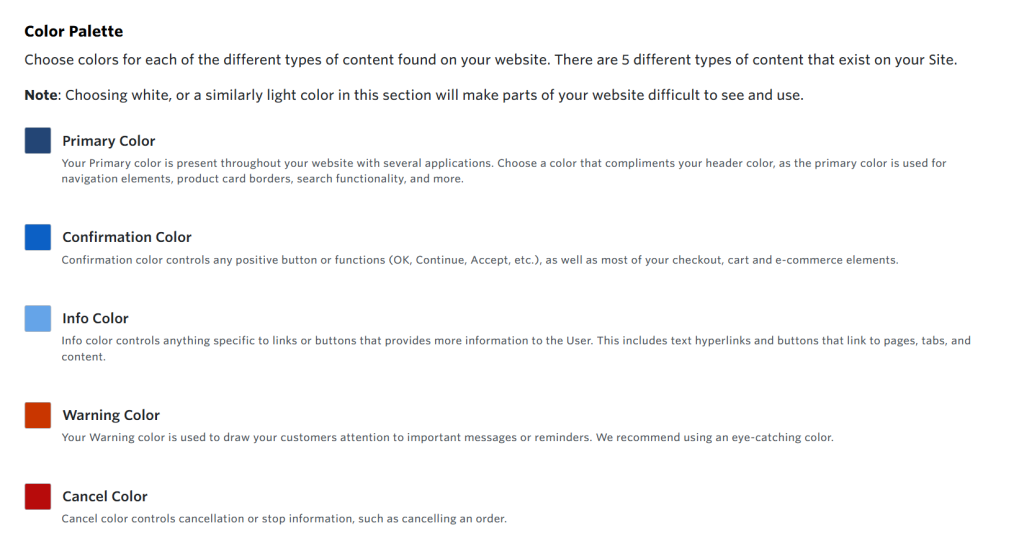
Your colors are some of the first things visitors notice. A consistent color palette creates a memorable identity that customers recognize across your website. Colors shape how users feel about your brand—calm, confident, energetic, or technical.
A well-chosen palette supports your message and highlights calls to action so visitors are more likely to take the next step, whether that’s requesting a quote, exploring products, or completing a purchase.
Buttons & Search Input
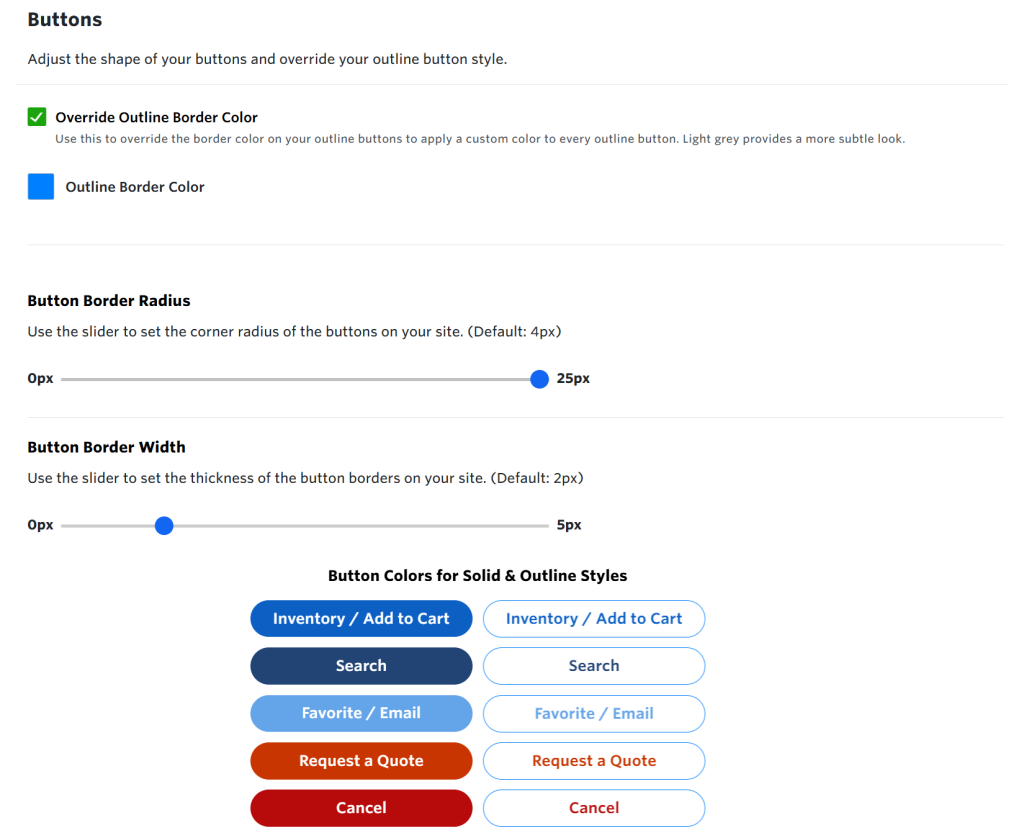
You can add another level of customization by changing your button and search input box. Adjust the shape of your buttons and override your outline button style. Choose your search border color, height, font size, and radius, all from your Admin Portal.
New: Fonts
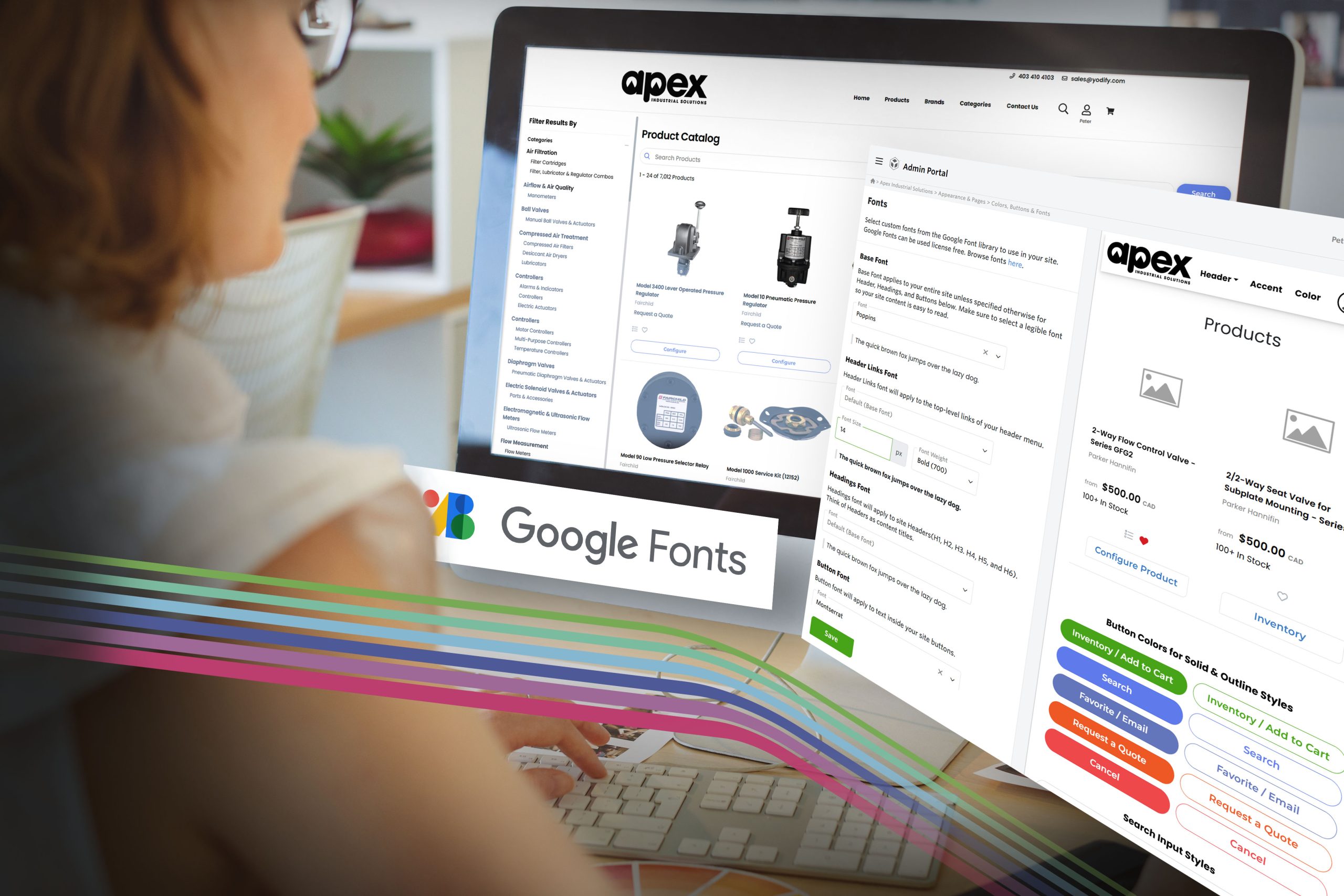
Yodify has added the ability to change your font site-wide using the Google Font Library. These fonts can be used license-free. Set your base font site-wide and adjust header links, headings, and button fonts as you see fit.
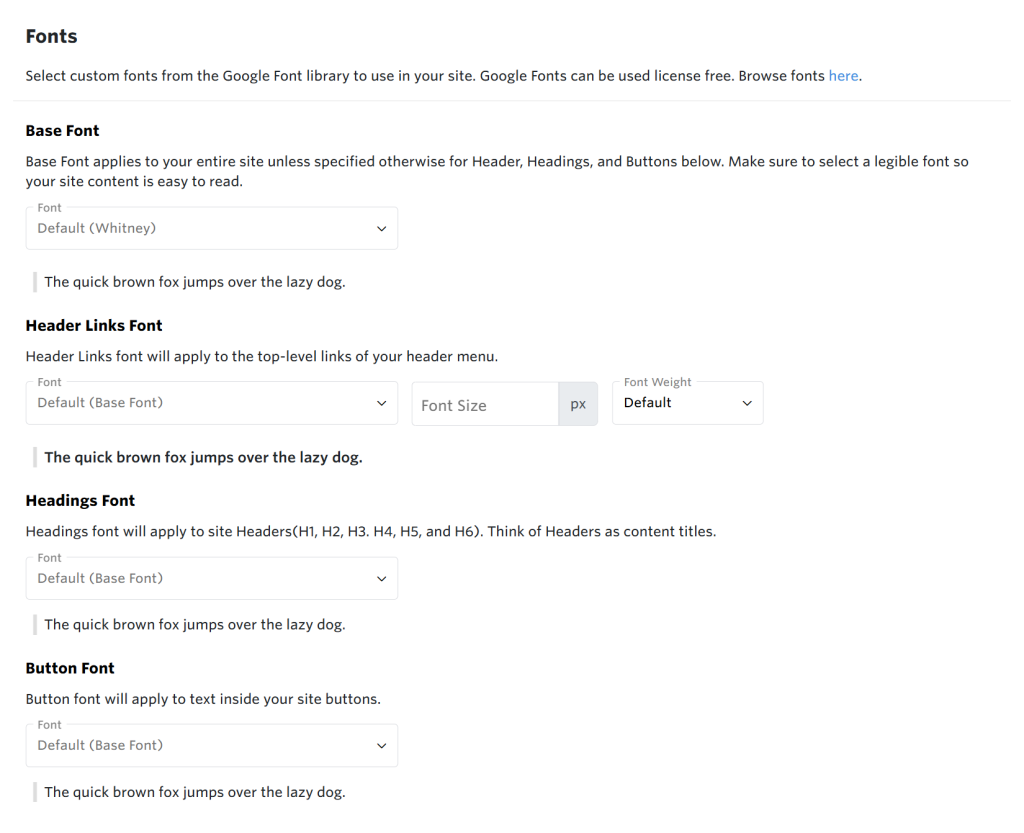
Access your Colors, Buttons, & Fonts through your Yodify Admin Portal > Appearance & Pages > Colors, Buttons & Fonts
HAVE YOU TRIED?
Product Content Sections
Ultimate flexibility to showcase your product with carousels, additional cards, and whatever else you can dream up.
Content sections are your secret weapon to differentiate and enrich your product pages on Yodify. Whether you’re looking to boost SEO or engage your target audience with dynamic content, content sections offer limitless possibilities!
Simple Content Section
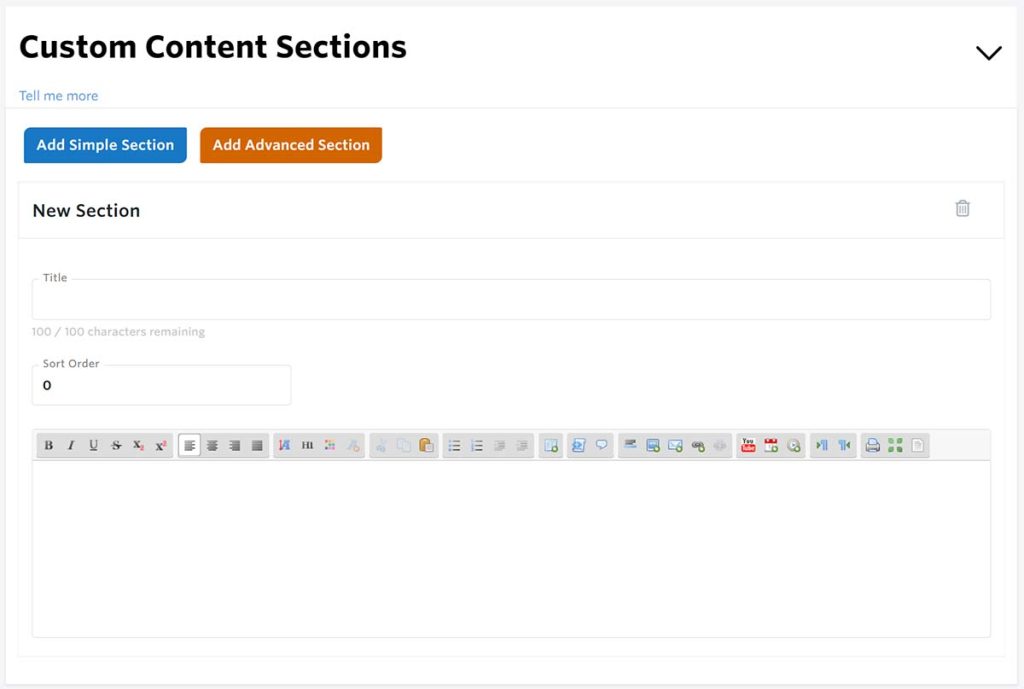
Create as many content sections for your product series as you like.
This is a WYSIWYG (What You See Is What You Get) editor.
Examples include:
- Product Studies
- Simple Image Galleries
- Applications
- Customer testimonials
- Project info
- Whatever else you want to include!
Advanced Content Section
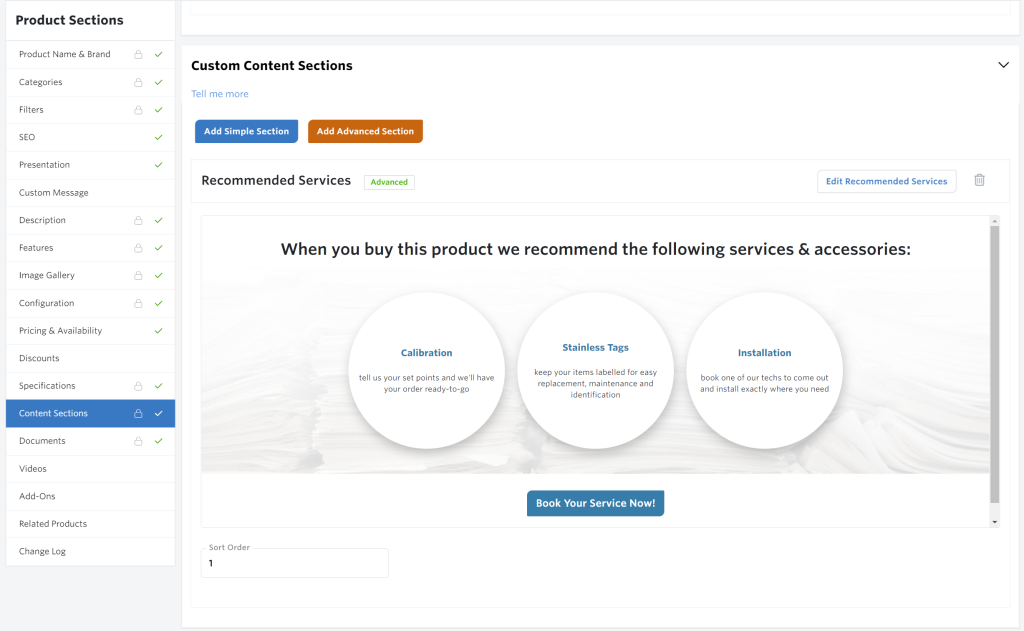
Put the full power of the Yodify page builder into your content sections.
Create dynamic, engaging visual content with the same page builder controls you use for your home page and additional content pages.
This tool gives you the ultimate flexibility to showcase your product with carousels, additional cards, and whatever else you can dream up.
Create as many content sections for your product series as you like.
- Recommended Product Pairings
- Custom cards and product-to-product navigation
- Product banners
- Image carousels
- Dynamic CTAs
- Add-On Recommendations
- Sale Banners
- Whatever else you want to include!
Access your Custom Content Sections through your Yodify Admin Portal > Product Catalog > Your Products > Any Product Series
Use these powerful features to unlock your Yodify site’s full potential.
Your feedback is important to us, contact us at support@yodify.com with questions or comments.
Sign Up for the Yodify Newsletter for more Features, Tips, & Best Practices